The drop needs to be visible before the customer asks
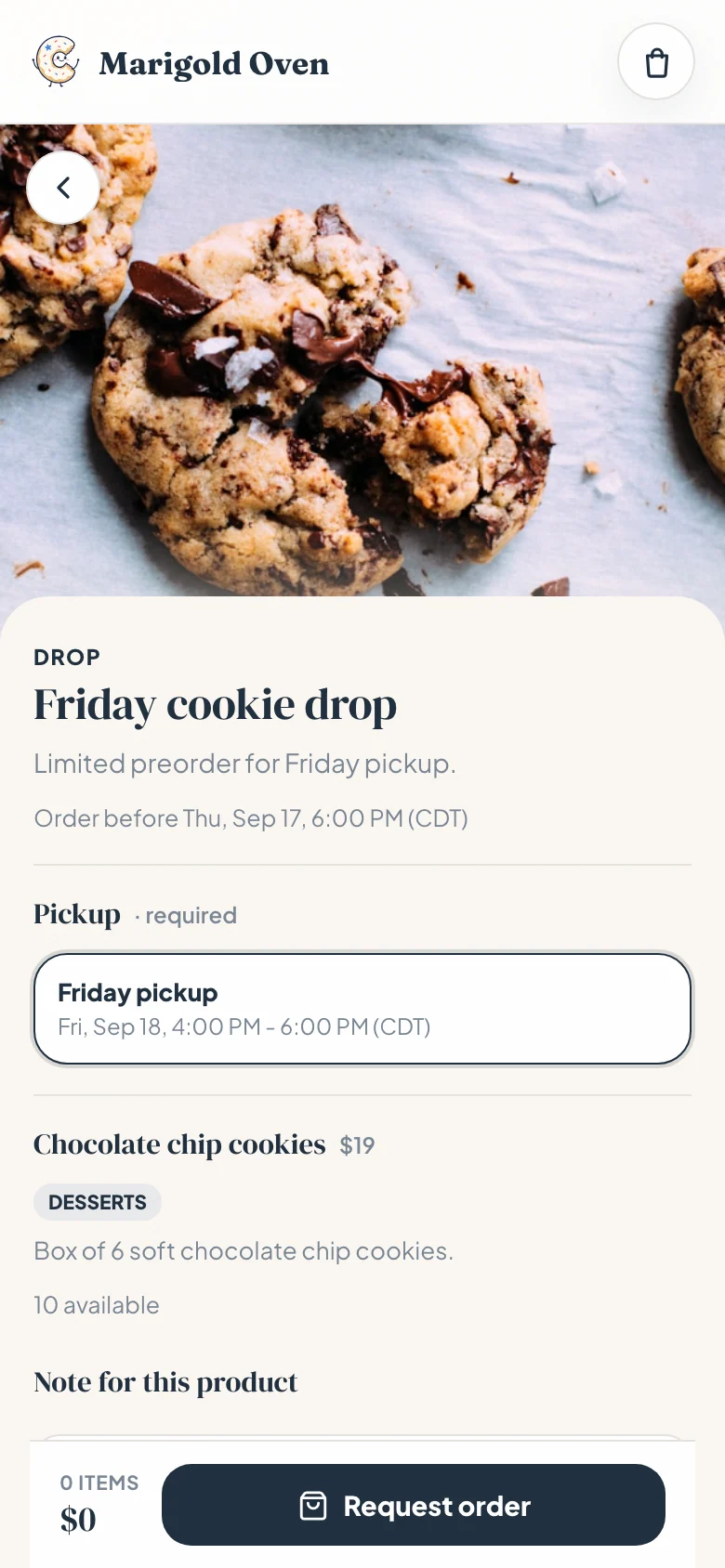
A weekly drop works best when the customer can see the offer, the pickup day, and the limit without starting a chat. That is the point of the card: it turns "are orders still open?" into a tap, not another message for you to answer while dough is chilling.
The screenshot is a real mobile Confita shop view. The drop sits above the normal product grid, so customers can order the weekly box without losing the rest of your menu.
What a bakery drop actually is
A bakery drop is a limited preorder for a specific menu and pickup window. You are not opening your whole calendar. You are saying: this is what I am baking, this is when pickup happens, and this is how many I can safely make.
That matters because weekly baked goods are different from custom cake requests. A custom cake needs questions, reference photos, a quote, and usually a deposit. A Friday cookie drop needs a clear menu, a cutoff, a quantity limit, and a pickup window that does not turn your whole evening into doorbell roulette.
DM preorder vs a real drop
DMs work for the first few orders. The cracks show when the drop sells better than expected.
| DM preorder | Confita drop | |
|---|---|---|
| Order cutoff | written in the caption, easy to miss | attached to the drop |
| Pickup windows | negotiated one message at a time | chosen during checkout |
| Stock limits | you track the count by hand | drop products carry their own caps |
| Normal menu | mixed into the same chat thread | stays separate from the drop |
| Order record | screenshots and memory | one order in your inbox |
Set the rules before the post goes live
The mistake is posting the menu first and deciding the rules later. If the post works, you are making policy while people are trying to buy. That is how a fun Friday drop turns into an apology tour.
Set the drop like you would prep the bake: before the rush starts.
- Menu: keep it short enough to bake in one batch rhythm.
- Cutoff: say when orders close, even if you expect to sell out first.
- Quantity: cap each product or box at the number you can actually make.
- Pickup windows: give two or three choices instead of handling twenty custom times.
- Payment plan: decide whether the drop is paid upfront through your connected Square or Stripe account, paid by transfer, or paid in cash at pickup.
The seller side should show the limits too
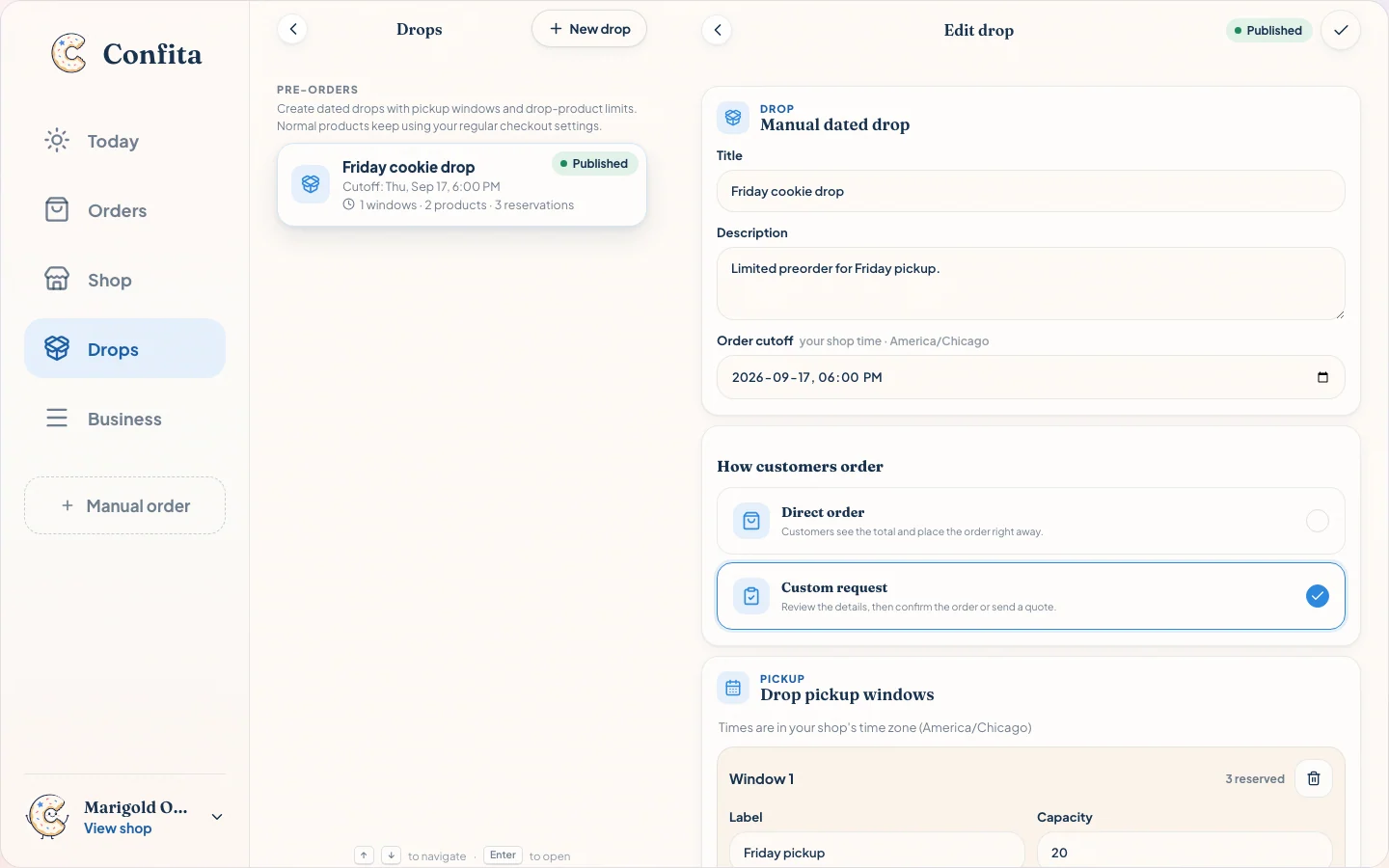
On the seller side, a drop needs to show status, cutoff, pickup windows, products, and reservations at a glance. If you have to open three notes to know whether the drop is still safe to sell, the system is not doing enough work.
In Confita, drops live beside the normal shop tools. Normal products keep their regular checkout settings, while the drop gets its own date, windows, and product limits.
When not to use a drop
Drops are good for repeatable, limited menus. They are not the answer to every order type, and forcing everything into a drop makes the week messier, not cleaner.
Use a regular product or a quote flow when the order needs a conversation before you can price it. A sculpted cake, a wedding dessert table, a rush custom order, or anything with flexible design work should start with questions and a private quote. The drop is for the batch you already decided to bake.
| Order type | Better workflow | Why |
|---|---|---|
| Friday cookie boxes | Drop | Limited menu, fixed pickup day, stock cap. |
| Sourdough loaves for Saturday | Drop | Repeatable batch with pickup windows. |
| Birthday cake with reference photo | Custom product + quote | Needs servings, date, design, and price approval. |
| Wedding dessert table | Quote flow | Scope changes the price too much for a drop. |
Use the drop with the rest of the workflow
A drop handles the limited preorder. These pages cover the pieces around it.
Frequently asked questions
What is a bakery drop?
A bakery drop is a limited preorder for a specific menu and pickup time. Instead of keeping the whole shop open-ended, you publish what you are baking, how many are available, when orders close, and when customers can pick up.
How do I avoid overselling a drop?
Set a stock cap before the post goes live, keep each drop product tied to that cap, and close orders at the cutoff. If you do not know your real limit yet, set the first cap lower than your best-case bake. Selling out is easier to explain than apologizing for boxes you cannot make.
Can I use drops with regular products?
Yes. In Confita, normal products keep using your regular checkout settings, while drops have their own date, cutoff, pickup windows, and item limits. That lets you run a Friday cookie drop without turning off custom cake requests.
Do customers need an app to order a drop?
No. A Confita drop opens from the same shop link in the browser. Customers tap the drop, choose the available items and pickup window, and send the order without installing anything.
Sources
Details were checked against public sources on August 30, 2026. Confirm current prices, policies, or provider instructions before relying on them.