Choose Hotplate if…
limited drops are your main selling model.
- You mostly sell in scheduled drops.
- No monthly subscription matters more than per-order fees.
- SMS, waitlists, prep lists, and tickets are central to every release.
Hotplate is built for selling drops without a monthly subscription. Confita is built to be the shop you control between drops, everyday checkout, and custom work.
limited drops are your main selling model.
your business needs a permanent home base.
Both give a food business a branded customer link. The trade-off is whether the link is mainly for releases or a store that sells every day.
Confita$9.99/month or $49/year
HotplateNo monthly subscription or setup cost
Confita0% Confita commission; provider fees apply
Hotplate5% + $0.55 customer fee by default, plus 2.9% + $0.30 processing paid by seller
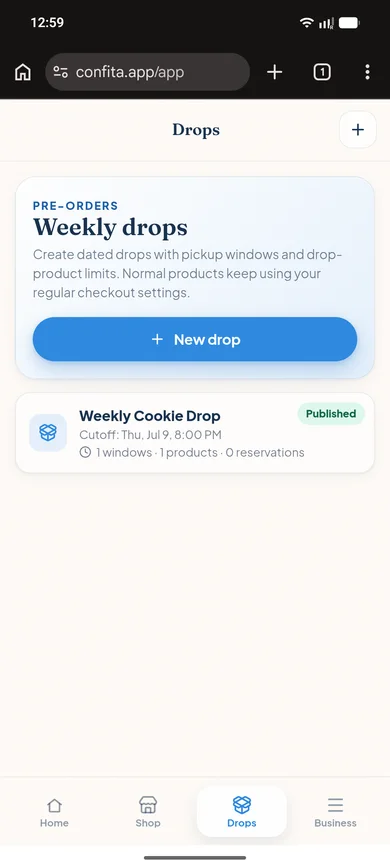
ConfitaCutoffs, pickup windows, and capacity limits
HotplateDrop scheduling, demand tools, reservations, and waitlists
ConfitaA permanent storefront where products can go straight to checkout
HotplateDrop-led checkout
ConfitaOrder details and private status page
HotplateAutomatic SMS alerts, reminders, and built-in inbox
ConfitaQuestion-led requests, private quotes, deposits, and balances
HotplatePublic product pages and drop-led checkout
ConfitaAll themes included, with fonts, banners, custom stickers, motion, and brand controls
HotplateBranded storefront built for fast drops
ConfitaConfita Payments: connect your bank for checkout and payouts, with no Stripe or Square account required (US and Canada)
HotplateBuilt-in card checkout with the current transaction-fee split
ConfitaA permanent shop for products, custom work, and scheduled drops
HotplateA storefront optimised for drop-led selling
Keep a polished storefront open for the products customers can buy now. Use drops when capacity calls for them, and switch to a structured quote when a custom request needs more than a checkout button.
That gives you one shop for the whole week, not only the moment a release goes live.
Hotplate has no monthly subscription or setup cost. Its pricing page lists a default customer-facing platform fee of 5% + $0.55 on the customer subtotal, plus 2.9% + $0.30 for payment processing paid by the seller. Hotplate says sellers can adjust the fee split. Confirm the current terms before subscribing.
The answer depends on order volume. Confita charges $49/year or $9.99/month, with no per-order fee; payments go through your own Stripe or Square account. Hotplate has no subscription, but charges per order. Compare Hotplate’s per-order fees with Confita’s fixed plan based on the volume you expect to sell.
Hotplate is the stronger fit if you need automatic texts, inventory reservations, waitlists, prep lists, and order tickets around every drop. Confita is the stronger fit if you want product limits, cutoffs, pickup windows, and a drop flow alongside custom quotes and deposits.
Confita is the stronger fit if you want hands-on visual control. Its editor includes themes, colors, covers, fonts, banners, stickers, entrance animations, and live preview. Hotplate offers a branded storefront designed for quick launch, but its public materials do not detail the same editor controls.
Hotplate is built around prepaid drops and its public materials do not list a private quote workflow. Confita is built for custom questions, reference photos, private quotes, and deposits through connected Square, Stripe, or a manual method.
Yes. Confita works from a phone, tablet, or computer for both sellers and customers. You can create the shop, edit its design, review requests, and send quotes from the browser.
Set up your products, add the details you need, and send yourself a test order before you share the link.