



All guidesPayment processor comparison · Last updated August 30, 2026

Stripe vs Square for a home bakery: start with the account you use

Already reconcile farmers’ market sales in Square? Start with Square. Already take online payments through an eligible Stripe account? Start with Stripe. On payments through those connected accounts, Confita adds a 0% platform fee and lets you change the active processor without rebuilding the bakery shop.

Key takeaways
  • Square fits an existing in-person and location-based workflow.
  • Stripe fits an existing online-payment workflow.
  • Both use provider-hosted checkout for Confita card payments.
  • Published rates are examples. Your account’s actual rate decides the fee.

Stripe and Square in Confita

This comparison is about the Confita connection, not every product either provider sells.

StripeSquare
Bring an existing accountEligible Standard accountsExisting Square seller accounts
New-account pathConnected Express onboardingCreate the seller account with Square, then connect
Customer checkoutStripe-hosted CheckoutSquare-hosted checkout
Charge or payment belongs toConnected Stripe accountConnected Square account and selected location
Confita platform fee0%0%
Best existing signalOnline payments already run through StripeMarket or counter payments already run through Square

Published US rates checked August 30, 2026. Actual rates vary by country, card origin, currency conversion, Square plan, and custom pricing. Check your provider dashboard for your rate.

Changing processors does not rebuild the bakery order

The products, custom questions, pickup details, quote, and payment status stay in Confita. Stripe or Square handles the hosted card page and records the payment in the account you connected.
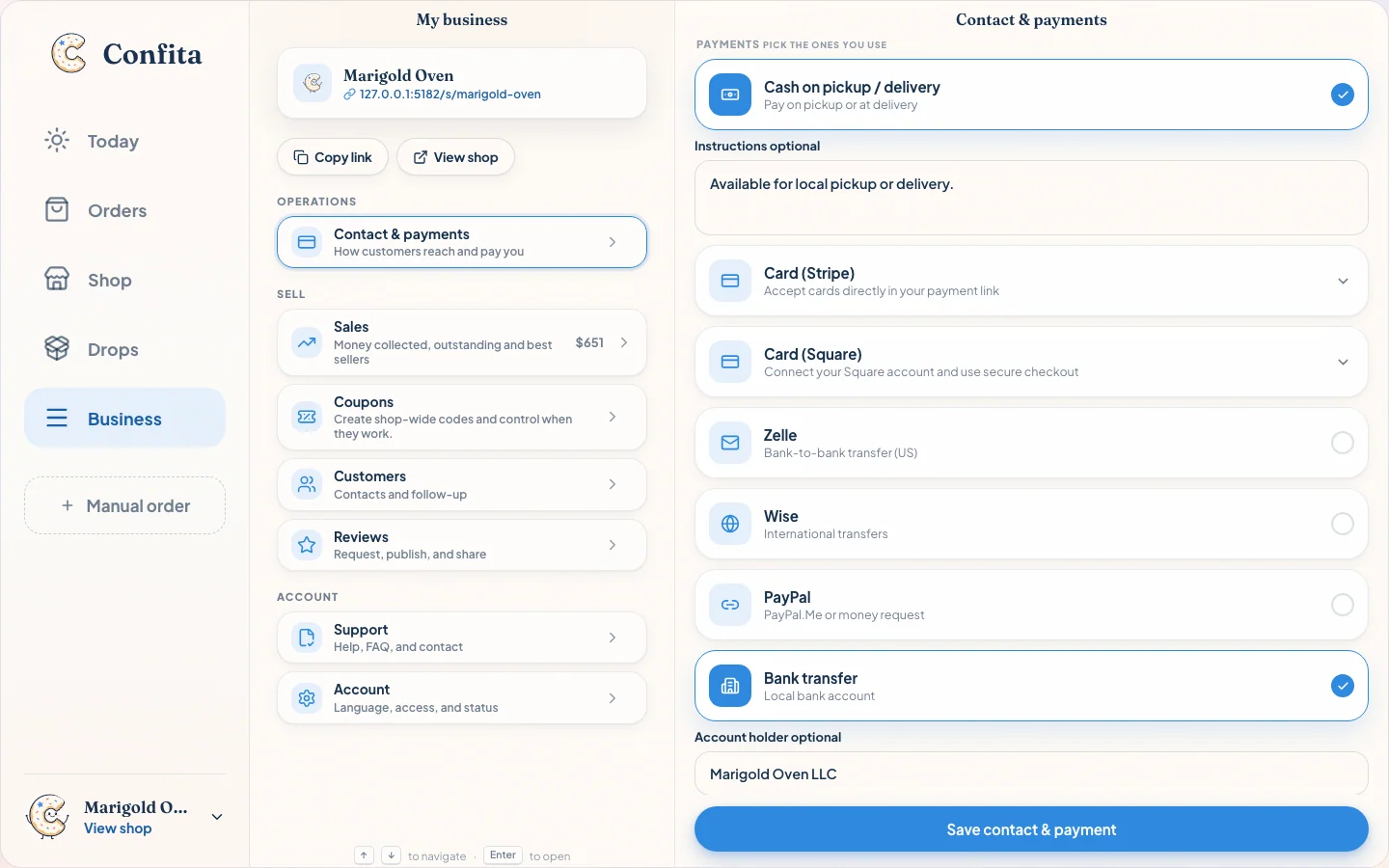
Marigold Oven payment workspace showing Stripe and Square together with the bakery’s other payment methods
Stripe and Square are processor choices inside the same order and payment workflow.

Choose Square when the reader is already on your counter

Square gives an in-person seller a familiar account, dashboard, payout settings, and location structure. Connect that account to Confita, choose the eligible location for online bakery payments, and keep managing payments and payouts in Square.

Do not assume the market-stall tap rate follows the account into online checkout. The online card is a different transaction channel. Account continuity saves administrative work; it does not erase channel pricing.


Choose Stripe when the online business already lives there

If wholesale, invoices, or another online sales flow already uses an eligible Stripe Standard account, connecting it can keep online payment reporting in one place. Confita creates direct charges on the connected account and adds no application fee.

If you do not have Stripe, Confita can start a connected Express onboarding flow. That is a provider account for the bakery, not a Confita wallet.

Published US rates happen to match in one channel

Stripe’s standard US domestic online-card rate and Square’s published US Online API rate are each 2.9% + $0.30 at the time of this review. On $100, each example produces a $3.20 processing fee. When the payment goes through your own Stripe or Square account, Confita adds $0.

That does not make real-world pricing identical. Square plans and channels differ. Stripe adds fees for some international and currency-conversion cases. Both providers may offer custom pricing. Country and card mix matter. Open both dashboards and compare the rate your bakery can actually get.

$100 published US online exampleStripeSquare
Provider rate2.9% + $0.302.9% + $0.30 Online API
Provider fee$3.20$3.20
Confita platform fee$0.00$0.00

The operational tradeoff

Reasons to keep the account you have

  • One less provider login and compliance profile to maintain.
  • Familiar dashboard, payout settings, and reconciliation habits.
  • New online payments stay in the dashboard you already reconcile.

Reasons to compare before connecting

  • Your online rate may differ from your in-person rate.
  • An existing Stripe account may not be eligible for OAuth connection.
  • Square location, country, and currency eligibility still need to match.

The short answer

Already use Square at the farmers’ market? Start with Square. Already use an eligible Stripe account online? Start with Stripe. Starting from zero? Compare actual rates, country support, payout controls, disputes, and the dashboard you want to open every week.

The processor should fit the business you have. When payments go through your own Stripe or Square account, Confita connects it to a cleaner bakery order flow without adding a fee.

Go one level deeper

Frequently asked questions

Frequently asked questions

Is Stripe or Square cheaper for online bakery payments?

Neither is always cheaper. Their published US online examples can match at 2.9% + $0.30, but country, card origin, currency conversion, Square plan, transaction channel, and custom pricing can change the result. Compare the actual pricing in your account.

Should I use Square if I already use it at farmers’ markets?

Usually it is the practical first option because you keep the Square seller account, selected location, dashboard, and transfer settings you know. The online checkout can have a different rate from card-present reader sales.

Can I connect Stripe and Square at the same time?

You can keep both connected to the shop, with one active for customer card checkout at a time. Customers see the active processor rather than two competing card options.

Does Confita take a percentage with either provider?

When payments go through your own Stripe or Square account, Confita adds no fee, you settle directly with your customer, and the active provider charges its applicable processing and account-specific fees.

Sources

Details were checked against public sources on August 30, 2026. Confirm current prices, policies, or provider instructions before relying on them.

Keep both connected. Choose one for checkout.

Build the bakery shop, connect Stripe or Square, and switch the active processor in payment settings when your workflow changes.