



One account for the stall and the order link
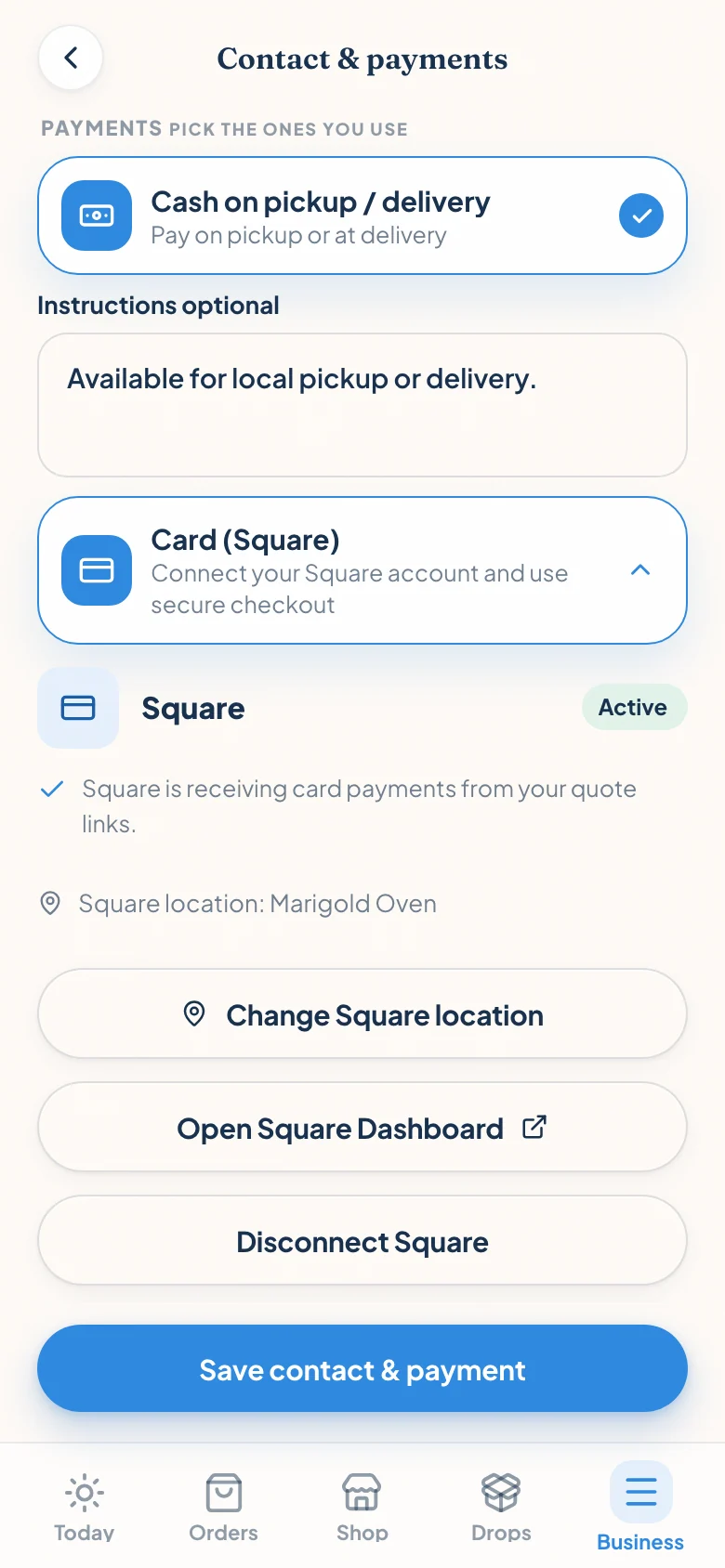
A market baker should not need a separate processor just because Monday’s cake deposit starts in an online order. Connect Square in Confita and approve access on Square’s site. Confita uses the only eligible location that matches the shop’s country and currency, or asks you to choose when there are several. When you send a card payment request, Confita creates a single-use hosted checkout for that order.
Square records the payment for the connected account and selected location, then handles the payout to the linked bank under the seller’s payout settings. Confita receives payment-status updates so the bakery order can move forward, but it never receives the sale proceeds.
Square is a payment option inside the bakery workflow
Open Contact & payments, choose Card (Square), and connect the seller account you already use. Square handles authorization on its site. After you return, Confita uses the only eligible location or asks you to choose when there are several.
- Connect from the same screen as cash, Interac, and other payment options.
- Confita takes no cut of the payment.
- Run a test order before sharing the shop.
What stays in Square and what stays in Confita
| Square | Confita | |
|---|---|---|
| Seller account and location | Managed in your Square account | Connects the eligible location to the shop |
| Card entry and processing | Square-hosted checkout | Never receives raw card details |
| Funds and transfers | Handled in your Square account | Never holds the money |
| Bakery order details | Payment reference | Products, questions, quote, deposit, and status |
| Past Square history | Remains in Square | Not imported into Confita |
Choose the right Square location
Square accounts can have more than one location: a market stall, home kitchen, retail counter, or a location left over from an earlier setup. Confita filters for active, card-capable locations that match the shop’s country and currency. It uses the only eligible location automatically or asks you to choose when there are several.
That choice controls where Confita-created online payments are associated. It does not copy your Square catalogue, customers, inventory, or old transactions into Confita. Think of it as directing new online payments to the right place, not merging two databases.
Online checkout does not use the reader rate
This is the line worth checking before you price a deposit. A card tapped at the farmers’ market is an in-person, card-present transaction. A customer typing a card into Square-hosted checkout is an online, card-not-present transaction. Square can price those channels differently.
Square publishes 2.9% + $0.30 for its US Online Payment APIs at the time of this review, but plans, countries, cards, currencies, and custom pricing change the real number. Use the rate shown in your Square account for your setup.
What the customer sees
The customer opens the private bakery-order link, sees the deposit or balance due, and chooses card. Confita requests a single-use checkout link from Square and sends the customer to Square’s hosted page. After payment, Square notifies Confita and the order status updates.
This keeps the card form with Square while keeping the cake flavour, pickup date, quote, and payment status together in the bakery order.
Square is the practical choice when it is already part of the business
Choose Square when you already reconcile market or counter sales there, want the online payment associated with a Square location, and prefer its dashboard. Choose Stripe instead when online payments already live there or its account model fits your business better.
- Keep the seller account and dashboard you already know.
- Select the location deliberately.
- Price using the applicable online rate, not the tap rate.
- Confita adds 0% platform fee.
Bring Square to your bakery order flow
Build the shop free, connect Square in payment settings, and run a test order before opening the link to customers.
Sources
Details were checked against public sources on July 30, 2026. Confirm current prices, policies, or provider instructions before relying on them.
Frequently asked questions
Can I bring my existing Square account to Confita?
Yes. Confita uses Square OAuth so you authorize an existing Square seller account on Square’s site. You then choose an eligible active location for online card payments.
Do my old Square sales or products import into Confita?
No. Your existing account, location, dashboard, and payout settings stay in Square, but Confita does not import past transactions, catalogue items, inventory, or customer history.
Does Confita add a fee to Square payments?
No. Confita adds a 0% platform fee. Square still charges the processing and account-specific fees that apply to the online transaction.
Can I keep Stripe connected too?
Yes. A shop can keep Stripe and Square connected, with one processor active for customer card checkout at a time. You can change the active processor in payment settings.