The phrase that causes confusion
Bakesy says it will never take a commission from your orders. That is true about a separate Bakesy platform commission. It does not mean every card-payment path is free.
Bakesy documents two different workflows. You can list outside payment methods such as Venmo, PayPal, Cash App, Zelle, or cash. You can also use Bakesy Secure Payments, an optional card workflow that runs through Bakesy and pays out to your linked account.
Two ways Bakesy handles payments
The important question is not whether Bakesy uses the word commission. It is where the payment happens and which fee applies.
| Payment path | What Bakesy lists | What it means | |
|---|---|---|---|
| Bakesy Secure Payments | 3.9% + $0.30 per card transaction; optional; US only | Payment runs through Bakesy’s integrated flow, with automatic payouts. | |
| Out-of-app methods | Venmo, PayPal, Cash App, Zelle, cash, and other methods | The provider handles the payment. You may need to mark the order paid in Bakesy. | |
| Confita with Stripe or Square | 0%: payments go through your own Stripe or Square account | Connect an existing Square seller account or eligible Stripe account. The payment is recorded in that provider account; the provider handles payouts under your settings and charges its applicable fees. |
The $100 example
On a $100 domestic card payment, Bakesy Secure Payments’ published rate works out to $4.20: 3.9% is $3.90, plus $0.30. Stripe’s standard US domestic online-card rate and Square’s published US Online API rate are each 2.9% + $0.30 at the time of this review, or $3.20 on $100. That is a $1 difference under those published rates.
This does not make Bakesy’s integrated option wrong. It makes the tradeoff visible. Rates vary by country, card origin, currency conversion, Square plan, and custom pricing. Check your provider dashboard before comparing your actual cost.
| Example on $100 | Published rate | Fee |
|---|---|---|
| Bakesy Secure Payments | 3.9% + $0.30 | $4.20 |
| Stripe domestic cards | 2.9% + $0.30 | $3.20 |
| Square Online API | 2.9% + $0.30 | $3.20 |
| Difference from Bakesy example | 1 percentage point | $1.00 |
When Bakesy Secure Payments can still be worth it
The extra fee may be worth paying if you want card checkout, automatic order updates, payout tracking, and fewer steps inside one seller app. A baker who values that convenience may reasonably choose it.
If you already use a payment link, bank transfer, cash, or another provider, Bakesy’s out-of-app path may fit better. The payment is outside Bakesy, but you may have one extra step to mark it paid.
Where Confita fits
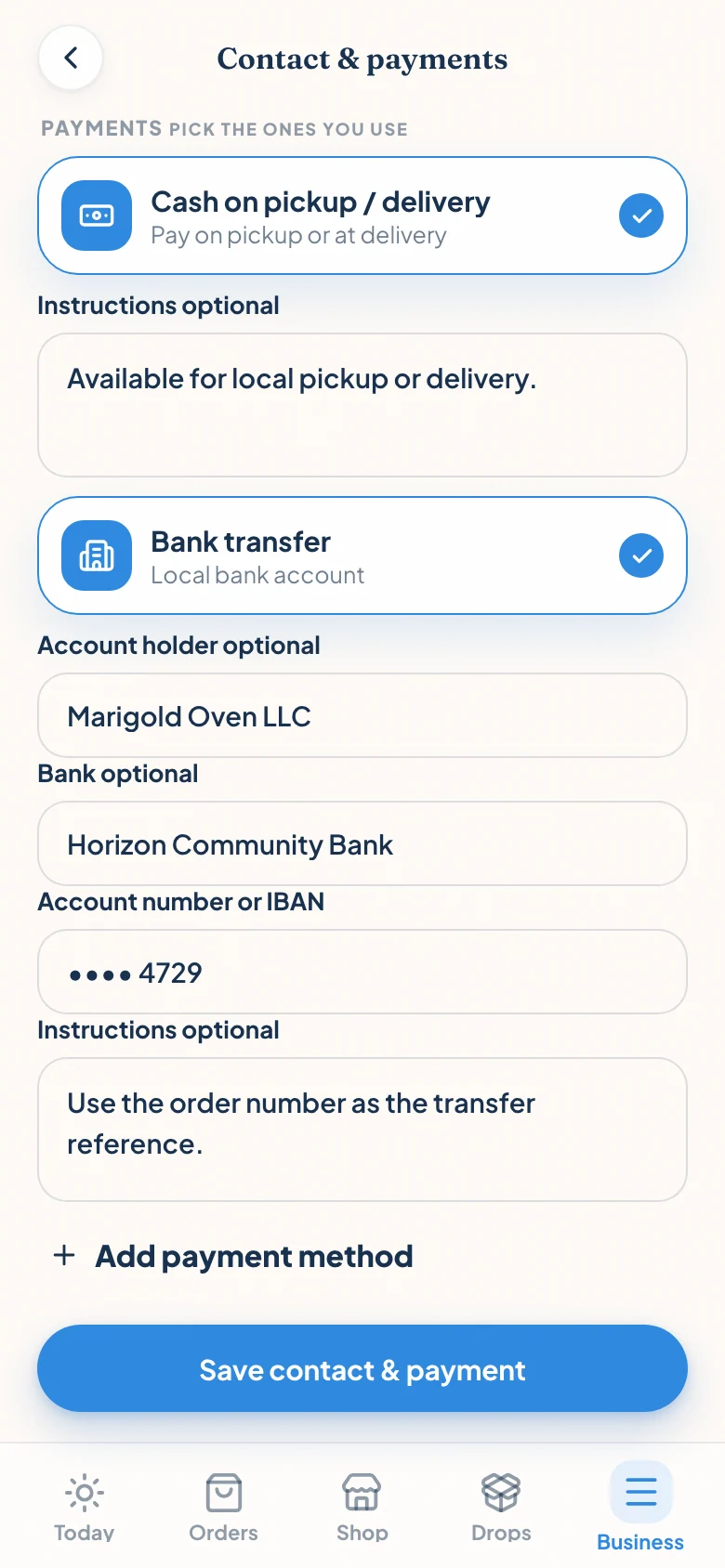
Confita keeps the payment in your own account. Connect the Square account you already use at the farmers’ market or an eligible Stripe account you already use online. The customer checks out on a provider-hosted page, the payment is recorded in that account, and the provider handles payouts under your settings. Confita adds no fee on either path; provider fees still apply. The honest math on a $100 Stripe payment is $3.20 to Stripe and $0 to Confita, below Bakesy Secure Payments’ published $4.20, and the Square path works the same way.
The bigger difference is workflow. Confita gives you a browser-based storefront, product questions, reference-photo uploads, private quote links, deposit instructions, receipt uploads, and a shop editor that works from any device.
Choose the payment path that matches your week
Choose Bakesy Secure Payments if integrated card checkout and automatic updates are worth the higher published fee for your business.
Choose an outside payment method if you already have a provider you trust and do not need automatic status inside Bakesy.
Choose Confita if you want integrated checkout through your existing Square seller account or eligible Stripe account: Confita adds no fee, and the payment goes straight to you.
- Bakesy Secure Payments: convenience inside the Bakesy app.
- Out-of-app Bakesy payments: your existing provider, plus manual status work.
- Confita: your connected Stripe or Square account, hosted checkout, and status updates. No Confita fee when payments go through that account.
Frequently asked questions
Does Bakesy charge a commission on every order?
Bakesy says it does not take a commission from orders. However, its optional Bakesy Secure Payments workflow lists a separate 3.9% + $0.30 fee per US card transaction. Outside payment methods are handled outside Bakesy.
Is Bakesy Secure Payments required?
No. Bakesy describes Secure Payments as optional. You can list outside payment methods such as Venmo, PayPal, Cash App, Zelle, bank transfer, or cash, then manage the payment status in Bakesy.
How much is the Bakesy fee on a $100 card payment?
At Bakesy’s published 3.9% + $0.30 rate, the fee on a $100 card payment is $4.20. The rate and availability can change, so confirm the current terms before relying on the calculation.
Does Confita charge payment commission?
No. You connect your own Stripe or Square account and the money goes straight to you; Confita charges only the subscription. The provider’s normal processing fees still apply. Confita is $49/year or $9.99/month after a 7-day free trial.
Sources
Details were checked against public sources on August 30, 2026. Confirm current prices, policies, or provider instructions before relying on them.