Home bakery management software, compared
For a home bakery, management software mostly means order management: taking orders, filling pickup days without overbooking, collecting deposits and seeing what sold.
Leaving Bakesy? See the Bakesy alternative
How the selling experience stacks up
Every tool has a job it does well. This is the practical difference between running a focused storefront, a drop-led business, or a larger bakery operation. Features and terms change, so verify the official sources below before subscribing.
Swipe sideways to compare every tool| What changes | Confita | Bakesy | BakeBug | Loafaly | Hotplate | Cottage CMS |
|---|---|---|---|---|---|---|
| Sell the way your customers buy | ||||||
| Fixed-price products | Instant checkout in your storefront, with pickup or delivery details | Instant Checkout on Premium | Online ordering and presales | Shop checkout | Drop checkout | Storefront checkout |
| Custom-order path | Questions → quote → deposit → balance | Order forms, invoices, and deposits | Custom orders, quotes, and presales | Custom Creations, quotes, and deposits | Built around drop products | Forms on Free; quotes and deposits on Pro |
| Limited releases | Scheduled drops, capacity, pickup windows | Order calendar | Presales with ordering windows | Preorders and shop tools | Waitlists, reservations, prep, tickets | Preorders, drops, availability |
| Get paid without extra handoffs | ||||||
| Start accepting cards | Confita Payments: connect your bank (US + Canada) | Secure Payments option (US) | Connect a payment gateway | Connect a listed payment rail | Built into checkout | Square checkout |
| Use the processor you already have | Stripe or Square, with 0% added by Confita | Out-of-app methods | Square and external methods | Stripe, Square, PayPal, and more | Platform checkout | Square |
| Quote, deposit, and balance | One private, payment-ready customer page | Invoices and deposits | Quote and presale tracking | Quotes, deposits, client portal | Not the drop-first workflow | Available on Pro |
| Run a shop customers want to return to | ||||||
| Seller workspace | Browser on phone, tablet, or computer | Dedicated seller app | Web dashboard | Browser-based tools | Mobile-first browser experience | Browser admin |
| Storefront design | All themes included, plus fonts, banners, custom stickers, motion, domain, and brand controls | Themes and bakery setup | Colours, logo, and banner | Full site tools | Drop storefront | Website templates |
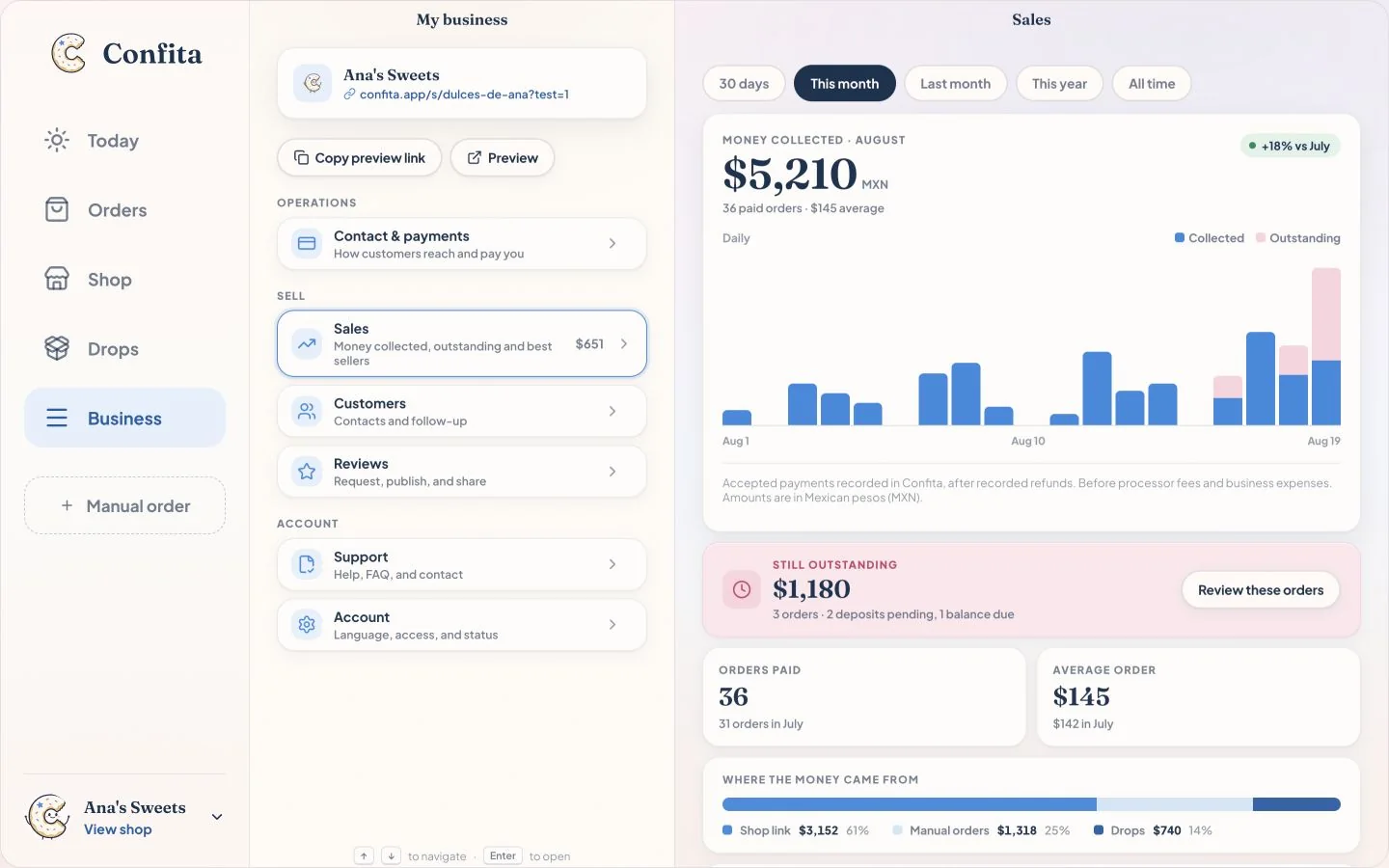
| See what is working | Collected, outstanding, channels, and top products | Revenue Dashboard on Premium | Dashboard and payment tracking | Operations reporting | Drop performance | Reporting on paid tiers |
| Best fit | Instant checkout, custom work, and drops in one shop | Bakery-management app | Presales, markets, and loyalty in one dashboard | Recipe costing and production | Demand-led drops | Broader cottage-food website |
Choose the workflow that fits your business
From storefront to order, in one place
Confita connects your storefront, instant checkout, custom-order option, payment choices, and sales view in one browser-based workflow.
Sell a standard menu item in a few taps. When an order needs a conversation, switch to questions and a quote without sending customers somewhere else.
What is bakery management software for a home bakery?
For a home or cottage bakery it is mostly order management: a place customers order from, a calendar of pickup or delivery days that cannot overbook, deposits and payments, customer details, and a view of what sold. Production software for wholesale bakeries, with recipe scaling, production sheets and delivery routes, is a different category. In this comparison, Loafaly leans furthest toward that back-office side; Confita, Bakesy, BakeBug, Hotplate and Cottage CMS lead with selling.
What should bakery scheduling software do?
Let you choose the days you bake, set an order cutoff, and cap how many orders each day or pickup window takes, so a busy Saturday closes itself instead of filling past what your oven can do. In Confita, a drop has an order cutoff, pickup windows with an order limit each, and stock per item. Bakesy lists an order calendar with calendar sync on Premium; BakeBug lists presales with ordering windows; Hotplate is built around timed drops and pickup windows.
Is there free bakery management software?
A few options cost nothing up front. BakeBug is free through December 31, 2026 for eligible signups before December 1. Cottage CMS has a Free plan with order forms and Square checkout but without quotes or deposits. Hotplate has no monthly subscription; sellers pay card processing and customers pay a fee at checkout. Google Forms is free but leaves prices and payment to follow-up messages. Confita is $49/year or $9.99/month after a 7-day free trial.
Which bakery order tool fits my workflow?
Bakesy fits sellers who want a dedicated mobile app and Premium inventory or revenue tools. BakeBug fits eligible 2026 signups who want to test its order workflow before paying. Hotplate is strong for drops and SMS, Cottage CMS for a full website, Loafaly for broader bakery operations, and Confita for Direct orders beside Custom requests with focused sales reporting. Details checked August 20, 2026.
How much does Bakesy cost for a year?
$119.88 on Standard, $215.88 on Premium: Bakesy lists monthly billing only, so there is no annual discount shown. Confita’s annual plan is $49/year; BakeBug has announced $49.90/year for 2027. Confirm current prices before subscribing.
Is BakeBug still free in 2026?
For eligible signups before December 1, 2026, yes: access is free through December 31. Signups after December 1 enter a 30-day trial. BakeBug has announced $4.99/month or $49.90/year from 2027, so confirm the terms at signup and checkout.
What do these tools charge on card payments?
Confita connects existing Square seller accounts or eligible Stripe accounts and adds no fee of its own; manual methods like bank transfer or cash are also supported. Provider processing fees still apply. Bakesy Secure Payments lists 3.9% + $0.30 per transaction via Bakesy Secure Payments (powered by Stripe); it is optional and US-only. BakeBug uses payment-gateway checkout.
Build the storefront your customers will use
Set up your products, add the details you need, and send yourself a test order before you share the link.