Start with the regulator, not a generic checklist
The FDA explains that retail food businesses are generally regulated by state and local government. That makes your regulator’s current page, permit desk, or written guidance the source of truth. A blog can help you ask better questions. It cannot tell you that a product or sales channel is legal where you live.
Search your state name plus “cottage food” and open the result from an official agriculture, health, or food-safety agency. Then check your city or county, because zoning, business licensing, pickup traffic, and market permits can add another layer.
Six decisions to confirm before the first sale
Work through these as separate questions. A “yes” on cookies does not automatically mean you can ship them, sell them wholesale, or use the same label at a farmers’ market.
- Product: which recipes and frostings are allowed, and whether temperature control or testing changes the answer.
- Production: which kitchen may be used, whether inspection or training is required, and whether pets or shared spaces affect eligibility.
- Sales channel: pickup, delivery, markets, online orders, shipping, and wholesale may each have different rules.
- Label: required business details, ingredients, allergens, disclosures, weights, and formatting come from the applicable rule.
- Registration: confirm permits, food-handler training, tax registration, business licences, zoning, and market-specific paperwork.
- Scale: ask whether revenue caps, employee limits, or a change in product or channel moves you into another licence category.
Turn the official answers into a launch checklist
Save the official links, forms, email replies, and permit numbers with the date you checked them. Rules change, and a written trail is much more useful than remembering what another seller posted in a group.
- Confirm your first two or three products before you buy packaging or publish a menu.
- Complete every required registration, course, inspection, licence, or tax step.
- Build labels from the official requirements for your jurisdiction and product. The free cottage food label maker carries what each state publishes, so you can start from that list instead of a blank sticker.
- Set prices that include your time. A $35 custom cake that takes three hours and $12 of ingredients pays you less than $8 an hour. Price the hours, not just the flour.
- Open an order channel. Decide exactly where orders will land before you announce anything. Otherwise they land everywhere, and you start the business already behind.
Taking orders like a business, not a group chat
The legal setup is a one-time job. The thing that decides whether this stays enjoyable is operational: where your orders live. When requests arrive through Instagram comments, two different chat apps, and your aunt relaying a coworker’s order, details get lost, and lost details cost real money. A wrong pickup date eats a Saturday. A missed allergy answer is far worse than that.
Three habits cover most of it. Keep each order’s details in one place, with the items, the date, and the customer’s answers together. Take a deposit on custom work, because a date someone has paid to hold is a date they will show up for. And publish your prices, because a public price list ends the quiet haggling that happens when every quote is a private negotiation.
You can run all three habits with a notebook and a payment app. Plenty of bakers do. Confita puts products, prices, order questions, quotes, and deposits in one link, then connects the Square or Stripe account you already use. At $49/year flat (or $9.99/month monthly), it does not need to change your sale math.
Turn regulator decisions into clear shop information
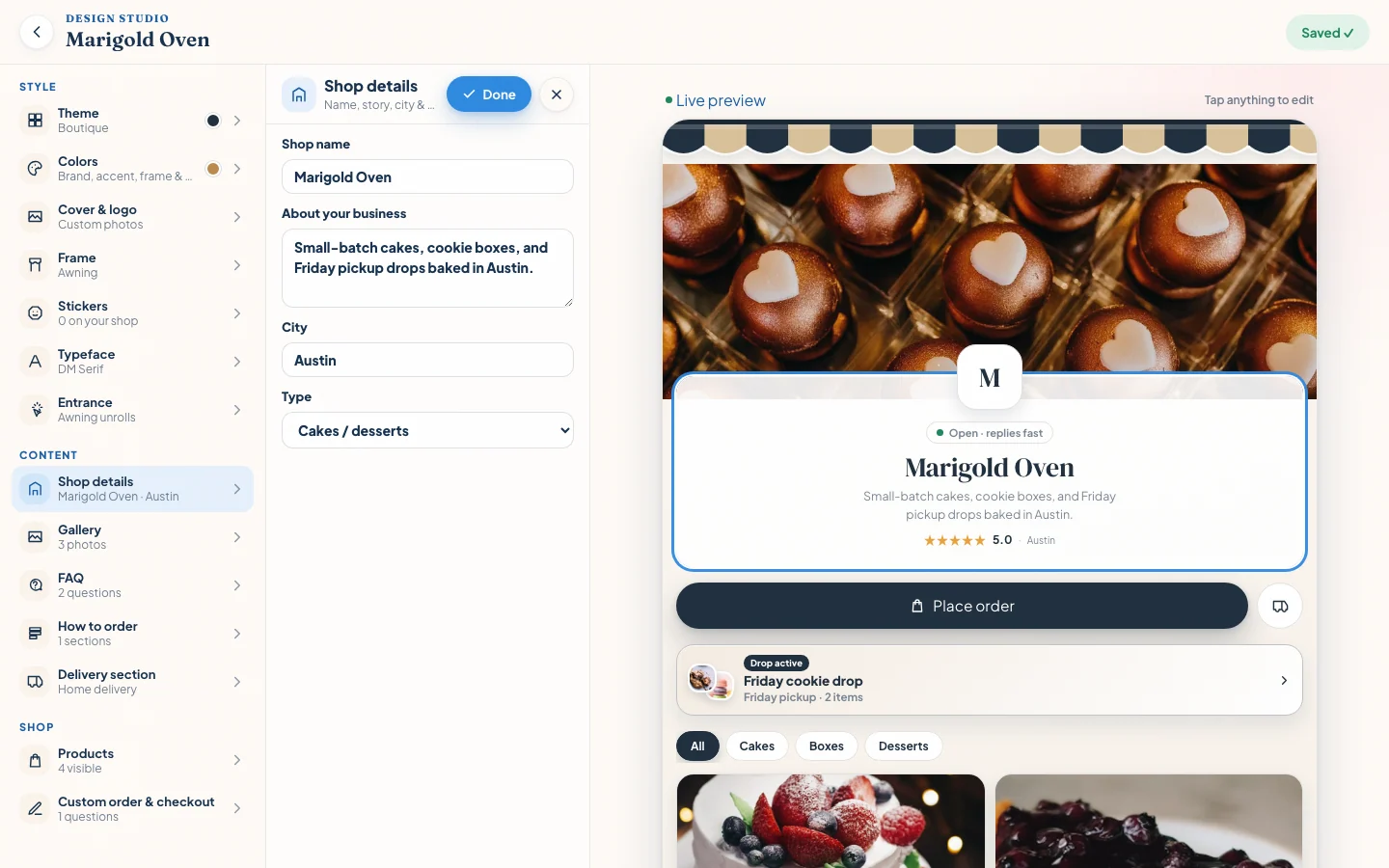
Once you have checked the official state and local rules, write the customer-facing facts in one place: the business identity, location, pickup or delivery approach, and policies you actually follow.
Confita’s shop editor keeps those details beside a live preview. It does not decide the legal requirements for you; it gives you a clean place to publish the decisions you verified.
Frequently asked questions
What is a cottage food business?
It is a food business operating under a state or local framework that may allow certain products to be made in a residential kitchen. The definition, eligible foods, sales channels, and paperwork depend on the jurisdiction.
Do I need a license to sell baked goods from home?
It depends on your state and locality. Check the official agriculture or health department guidance, then confirm city or county business, zoning, market, and tax requirements before your first sale.
What foods can I sell under cottage food laws?
Use the official food list or decision guidance for your jurisdiction. Recipe, frosting, filling, temperature control, testing, packaging, and sales channel can change the answer, so a broad list from another state is not enough.
How much money can a cottage food business make?
Some programs use revenue or operational limits, while others structure eligibility differently. Confirm the current threshold and what happens when you cross it with the agency that regulates your business.
Sources
Details were checked against public sources on August 30, 2026. Confirm current prices, policies, or provider instructions before relying on them.