Which cake order form do you need?
Not every order needs the same sheet. All four are on this page: the full cake order form when the price depends on the design, the wedding cake order form when there is a venue and a setup time, the cupcake order form for dozens, and the weekly sheet to see every order at once.
| Order | Use | Do not skip |
|---|---|---|
| Custom or birthday cake | Cake order form | Reference photo, servings, budget range and deposit. |
| Wedding cake | Wedding cake order form | Venue, setup window, coordinator contact and balance due date. |
| Cupcakes | Cupcake order form | Dozens, flavors per dozen, packaging and deposit. |
| The whole week | Weekly cake order sheet | Quantity, due date, price and what has been paid. |
The cake order form
Every field in the order you ask it, from the phone number to the signature. Print it for the market table, download the CSV for your records, or copy it as text into a message.
It fits on one printed page. The hints under each label are the questions to ask out loud when a customer goes quiet.
The signature line is the one bakers forget. Signed once, it settles every date-change argument before it starts.
Why each field earns its place
Name, phone, and the pickup or delivery lines come first because a perfect order with an unreachable customer is just an expensive practice cake.
The event date and time are your gate. Check the calendar before you read another line: if the date is full, you decline kindly in one message instead of falling in love with a design you cannot make.
Servings through reference photo are the design interview, written down so you never decorate from memory of a phone call. Get the inscription word for word, spelling included; a misspelled name in buttercream is a mistake the form catches so you never have to.
Allergies get their own line because the question asked out loud gets forgotten, and the question written down protects both of you.
Budget range, deposit, and payment method kill awkward surprises. The range tells you whether the customer is imagining a $60 cake or a $300 cake before you sketch anything; the cake price calculator tells you which one their servings and finish really cost. The deposit line, with its due date, turns a conversation into a booking. When money moves, write one clear line, like “Deposit $97 received June 3, balance $97 due at pickup June 20”. That sentence has settled more disputes than any contract clause.
The signature at the bottom makes your terms policy instead of negotiation, the same as any salon or photographer.
Wedding cake order form
A wedding cake is the same interview with higher stakes: more people, a venue you have never seen, and a date that cannot move. This version adds the lines that matter on the day.
Fill it in at the tasting or send it after. Download it as a CSV or copy it into a message to the couple.
What the wedding questions prevent
Four of those lines save the most grief. Keep them grouped so the couple answers once and you can quote without chasing venue details later.
| Ask for | Write down | What it prevents |
|---|---|---|
| Tasting | Date, flavors, decision deadline | A soft inquiry pretending to be a booking. |
| Tiers and servings | Display tiers, eaten servings, sheet cake if needed | Pricing a look when the serving count says something else. |
| Delivery and setup | Venue, load-in window, stairs or long carry | Arriving with a tiered cake and no workable setup plan. |
| Venue contact | Coordinator name and phone | Calling the couple on the wedding day for logistics. |
Cupcake order form
Cupcakes are counted in dozens, not servings, and the questions are about flavors, decoration and packaging. Use this shorter form for parties, showers and office orders.
Weekly cake order sheet
The forms above take one order each. This sheet is the overview: every order for the week on one page, one row per order, for regulars and market weeks.
The first two rows are filled in so you can see how it reads; the blanks are yours. For regulars, add printed pickup windows, like Friday 4 to 6 pm, and the same sheet works every single week.
| Customer | Item | Qty | Due date | Price | Deposit paid | Notes |
|---|---|---|---|---|---|---|
| Maria G. | 2-tier vanilla, 40 servings | 1 | Sat Jun 20 | $194 | $97 | pickup 10am |
| Dana R. | Lemon cupcakes | 2 dozen | Sun Jun 21 | $60 | $30 | deliver by 1pm |
The example prices come from our free cake pricing calculator: ingredients, labor, and overhead, not a guess.
Paper, Google Forms, or shop link
All three work. The honest question is where your orders come from and how much follow-up you want to do after the form is filled in.
Paper is unbeatable at a market table. Google Forms is free and genuinely fine for collecting answers, you will just handle prices, photos, and payment in follow-up messages. A shop link does those three things in the same place the customer already is.
Plenty of bakers run two of them at once: paper at the market, a link in the bio. The table is about where each one carries its weight.
| What matters | Paper form | Google Form | Live shop link |
|---|---|---|---|
| Cost | Printing only | Free | 7 days free, then $9.99/month |
| Where it shines | Markets and in-person orders | Quick links from social media | Your bio link, open all week |
| Shows prices and photos | Only what you print | Questions only, no priced menu | A real menu with photos and prices |
| Reference photo uploads | Customer hands you a phone | Requires a Google sign-in | Built in, no account needed |
| Deposit and payment details | Handled in person | Followed up by message | Carried in a private quote link |
Turn the form into money terms
The form collects the details. The quote and deposit pages help you turn those details into a confirmed order.
The same form on your products
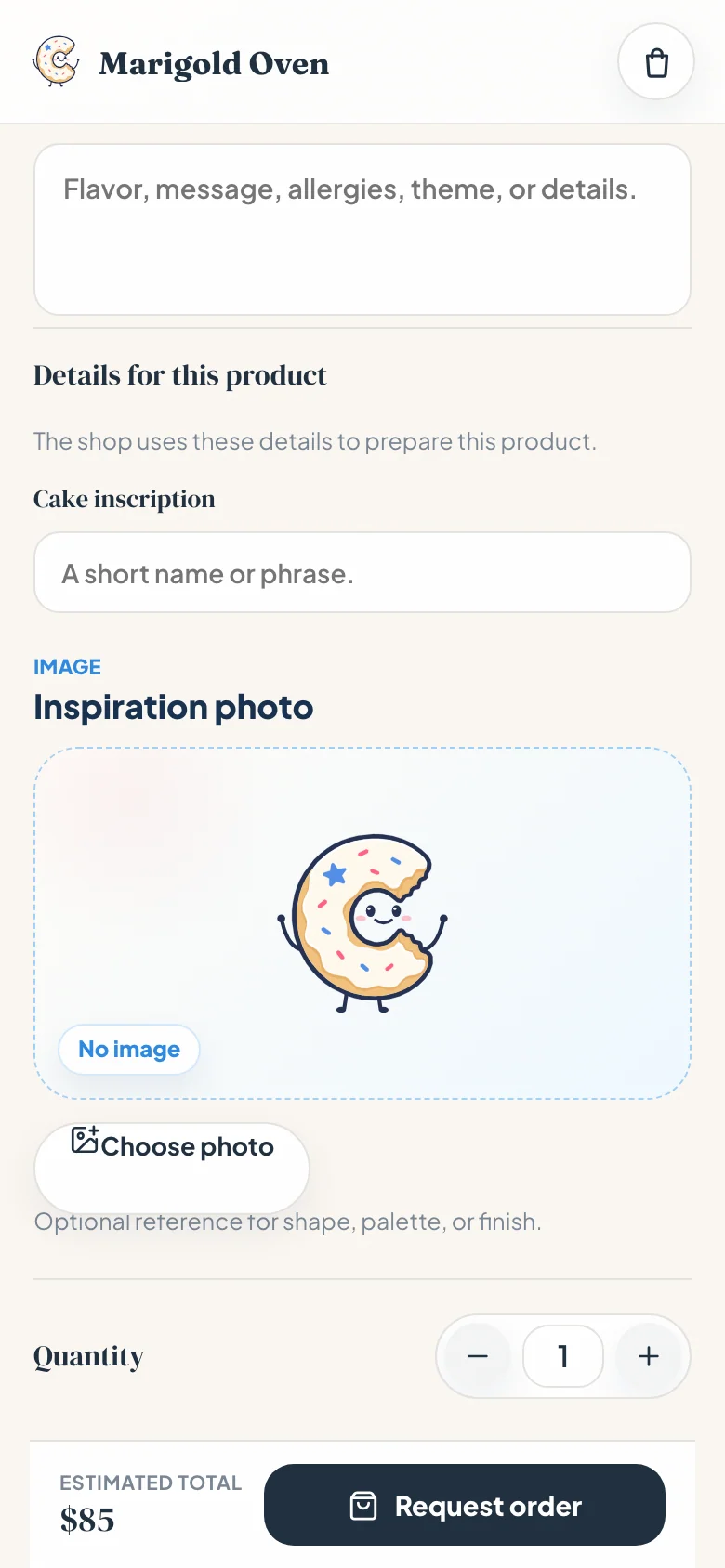
On Confita, these fields stop being a separate form. Each product carries its own questions, servings, flavor, inscription, allergies, plus a reference image upload, so customers answer while they order.
The request lands in your inbox complete, with nothing to copy from a form into a chat thread, and the allergy question gets asked every single time because the form asks it for you.
Frequently asked questions
What should a cake order form include?
Contact details, the event date and pickup time, servings, flavor, filling and frosting, theme and colors, the exact inscription, allergies, a budget range, and your deposit and payment terms. The sheet at the top of this page includes every one of those fields with a hint on how to ask it.
Is there a free cake order form template?
Yes, and you are looking at it. The whole form is visible at the top of this page, every field and every hint. Download it as a CSV, copy it as text into a document or a message, or print the page for in-person orders. No signup or email is needed.
Can I use this as a wedding cake order form?
Yes. The wedding cake order form on this page has its own sheet: couple names, venue and setup window, venue coordinator, guest count and servings, tiers with flavor per tier, flowers and topper, kitchen sheet cake, tasting date, deposit and balance due date. Print it, copy it, or download it as a CSV.
Can I use this as a cupcake order form?
Yes. The cupcake order form on this page counts in dozens instead of servings: quantity (standard or mini), flavors per dozen, frosting and colors, toppers, packaging, allergies, total and deposit. For several cupcake orders in one week, the weekly order sheet keeps them on one page.
Is there a cake order form PDF?
Yes. Open your browser’s print option (Ctrl + P or Cmd + P on a computer, or Share and then Print on a phone) and choose “Save as PDF”. The page prints only the forms, without the menu or the article, one form per sheet.
How do I make a cake order form in Google Forms?
Create a new form, add the fields from the sheet above as short-answer and multiple-choice questions, and share the link. It collects answers well, but it cannot show a priced menu or take a payment, and the photo upload question requires customers to sign in to Google, so plan to handle money and reference images in follow-up messages.
Should a cake order form take deposits?
Yes, for any cake that takes real time. A 50% deposit is the common standard: it reserves the date, covers ingredients if plans change, and filters out the inquiries that were never going to order. Print the terms on the form so they read as policy, not negotiation.