The cost of one missing field
Picture this: it’s 9 a.m. on a Saturday. A $45 lemon raspberry cake is boxed on your counter. The pickup time was “morning-ish” in a DM from three weeks ago, the customer hasn’t answered since Thursday, and you never got a phone number. You have two more bakes due today and one fridge.
That’s not a flaky customer problem. It’s a form problem. Every field on a good order form exists because some baker, somewhere, got burned without it. The fix costs nothing: ask for everything you need at the moment the customer is most motivated to give it, which is when they place the order.
The essential fields
Start with the basics every order needs, custom or not. If a field below feels optional, imagine the worst Saturday it could cause.
For simple products, that list is the whole form. A $60 dozen of decorated cupcakes due Saturday needs a name, a number, a date, a flavor, and a pickup plan. Don’t make people write an essay to buy cupcakes.
- Customer name and a phone number. Email alone fails on pickup morning.
- Requested date and time, plus pickup or delivery preference.
- Product, quantity, flavor, size, and add-ons.
- Allergies, every time, even for repeat customers.
- Budget or starting price when the final quote depends on design.
- Deposit requirement and how to pay it.
Questions for custom work
For custom cakes, the order form is really a quoting tool. Each question below either changes the price, changes the prep schedule, or prevents a redo. Ask enough to quote with confidence, but keep it short enough that customers actually finish.
| Question | Why it matters |
|---|---|
| What date do you need it? | Confirms availability and flags rush timing before you fall in love with the design. |
| How many servings? | Sets the size, the base price, and the grocery list. |
| What theme or design? | Defines decoration hours, which is where the real money is. |
| Upload a reference image | One photo replaces a week of back-and-forth about style. |
| Any allergies? | Protects your customer and protects you. |
| What’s your budget range? | Lets you steer the design to the money instead of quoting blind. |
Put the universal questions in the order form
You can run this checklist on paper or in a free form builder, and plenty of bakers do. The upgrade is asking for contact details, the needed date, and other universal answers once at the start, then leaving cake-specific questions on the cake itself.
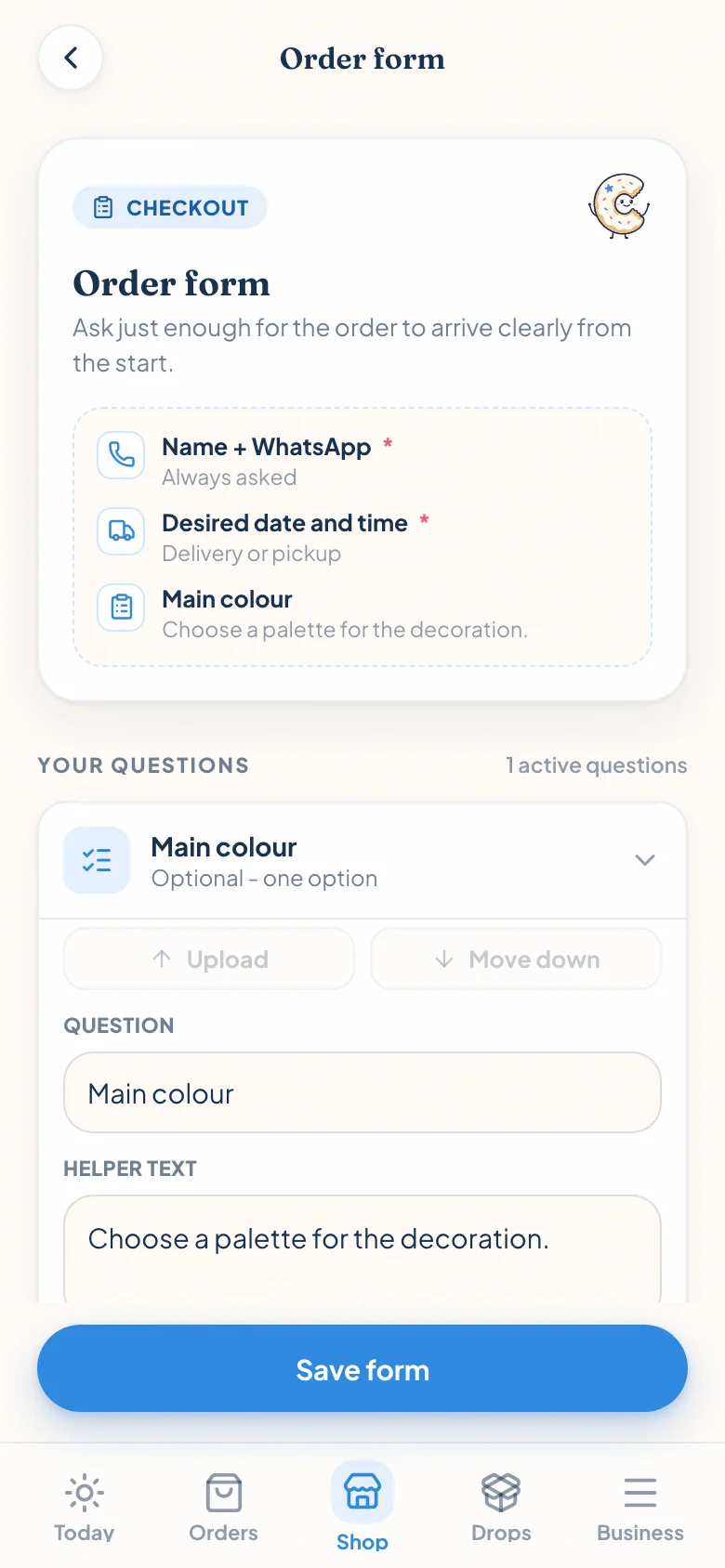
In Confita, the global order form handles what every request needs. Product questions add only the details that change for that item, so the final request arrives complete without making a cookie buyer fill out a wedding-cake interview.
Deposits: decide the policy once, not per order
A deposit isn’t about distrust. It’s how a date gets reserved. Without one, a Tuesday cancellation on a Friday wedding cake costs you the ingredients you already bought and the two orders you turned away for that slot.
Put the policy on the form itself so it’s agreed before you bake: how much the deposit is (a flat amount or a percentage, 25 to 50 percent is common), when the date is actually held, how the balance gets paid, and what happens if plans change. Customers don’t resent a clear policy. They resent a surprise one.
Make the next step obvious
The form’s last job is to answer one question: what happens now? After submitting, your customer should know whether the order is confirmed, waiting on your quote, or waiting on a deposit. Silence after a form submission is how customers end up double-booking another baker.
However you run intake, send something concrete back: the price, the deposit amount, and where to pay. Confita does this with a private quote link that carries all three plus a receipt upload, but even a clear text message beats leaving them guessing.
Frequently asked questions
Should a home bakery order form show prices?
Show fixed prices wherever you can, because hidden prices cost you orders from people who would have happily paid. For custom cakes, show a starting price (for example, “custom cakes from $85”) so customers self-filter, then quote the final number after you see the design details.
Can I use a Google Form for bakery orders?
Yes, and it beats taking orders in DMs. The trade-offs: it won’t look like a shop, customers can’t browse products or photos while they order, and there’s no built-in quote, deposit, or status step, so you still handle payment and follow-up by message. Many bakers start with a free form and switch when the follow-up work outgrows it.
What questions should I ask for custom orders?
Six cover most cakes: the event date, the number of servings, the theme or design, a reference image, allergies, and a budget range. Date and servings tell you if the order is possible; theme, photo, and budget tell you what to quote; allergies keep everyone safe.