The first-page checklist
Forget “About” pages and blog tabs for now. Your first page needs to answer the questions customers actually ask before ordering. If a visitor can answer all five in thirty seconds, you’ll get order requests. If they can’t, they go back to DMing you, or worse, to the baker whose page did answer them.
- What do you sell? Real photos of your own work, not stock.
- How much does it cost, or where do prices start?
- How far ahead should customers order?
- How do pickup, delivery, and deposits work?
- Can customers trust your work? Reviews and a real name help.
What goes above the fold
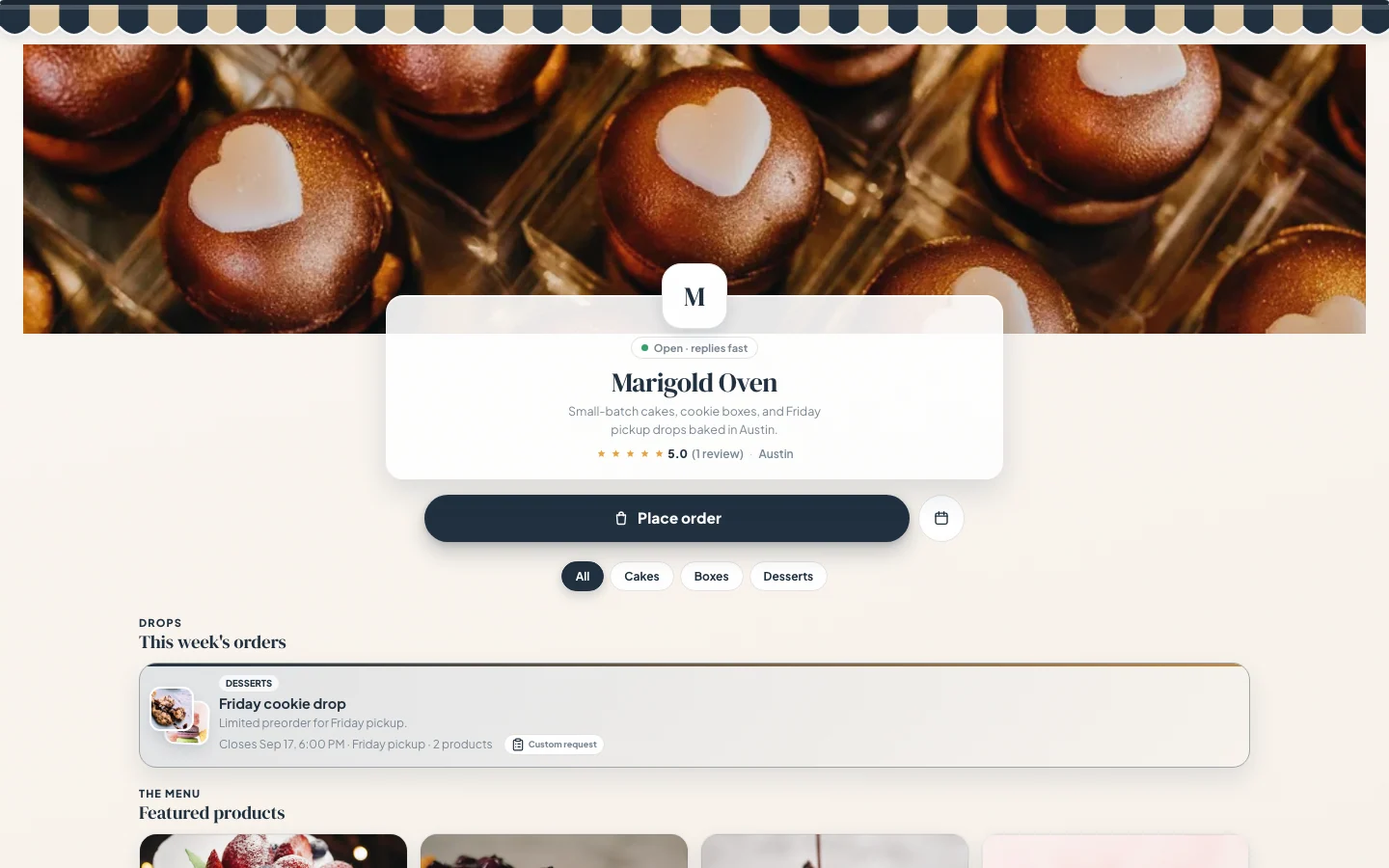
The first screen, before anyone scrolls, carries most of the weight. It needs four things: your bakery name, what you make, where you are (a neighborhood or city is enough, never your home address), and an obvious order button. One great photo of your best seller behind all that, and you’re done.
The mistake to avoid is decoration over direction. A scrolling quote about passion for baking feels lovely and sells nothing. “Custom cakes and cupcakes in Mesa, AZ. Order below.” sells cakes.
Why a bio-link shop beats a plain link page
Most bakers start with a free link-in-bio page, a stack of buttons pointing elsewhere. It’s better than nothing, but it sends customers away right at the moment they were ready to order. A shop link keeps the browsing, the decision, and the order request in one place.
| Plain bio link | Shop link |
|---|---|
| List of external links | Products, photos, prices, and order forms |
| Customer still has to message you the details | Customer submits details while they order |
| No quote or deposit workflow | Private quote links with Square, Stripe, or manual deposit options |
| Generic look shared with everyone | A storefront styled like your bakery |
Trust signals: the part new bakers skip
A stranger deciding whether to hand you $150 for their kid’s birthday cake is looking for reasons to believe. Give them three: real photos of cakes you actually made (phone photos in good light beat stock images every time), reviews or screenshots of happy messages with names attached, and written policies. A bakery that states its deposit, cancellation, and allergen policies reads as a business; one that doesn’t reads as a gamble.
Policies are a trust signal even for people who never read them. Their existence says someone serious is on the other end of this order form.
Design it yourself, no designer needed
Looking professional used to mean hiring someone or wrestling a generic website builder. Confita ships a theme editor with live preview at the base price: colors, fonts, cover photo, banners, all edited right on top of your real shop, so what you see is exactly what customers get.
Spend twenty minutes matching it to your box stickers and your bakery has a consistent look from Instagram post to order confirmation.
Frequently asked questions
Do I need a full website for a home bakery?
Not at first. Most home bakers need a professional shop link, products, prices, an order form, policies, and reviews, long before they need a multi-page website with a domain and hosting. Start with the page that takes orders; add pages later if you ever actually need them.
How much does a home bakery website cost?
Free options exist: a link-in-bio page or a Facebook page costs nothing, but neither takes a real order, so you keep doing intake in DMs. General website builders look polished but typically cost more per month and still don’t handle quotes or deposits. Confita is $49/year or $9.99/month, and the ordering workflow is the point, not an add-on.
Can Confita be my Instagram bio link?
Yes, that’s exactly the design. Your shop is a link customers open in the browser from Instagram, Facebook, TikTok, or a text message. Nobody installs anything, and the link works the same from a story, a post, or a QR code on your box.