More than a logo and a color picker
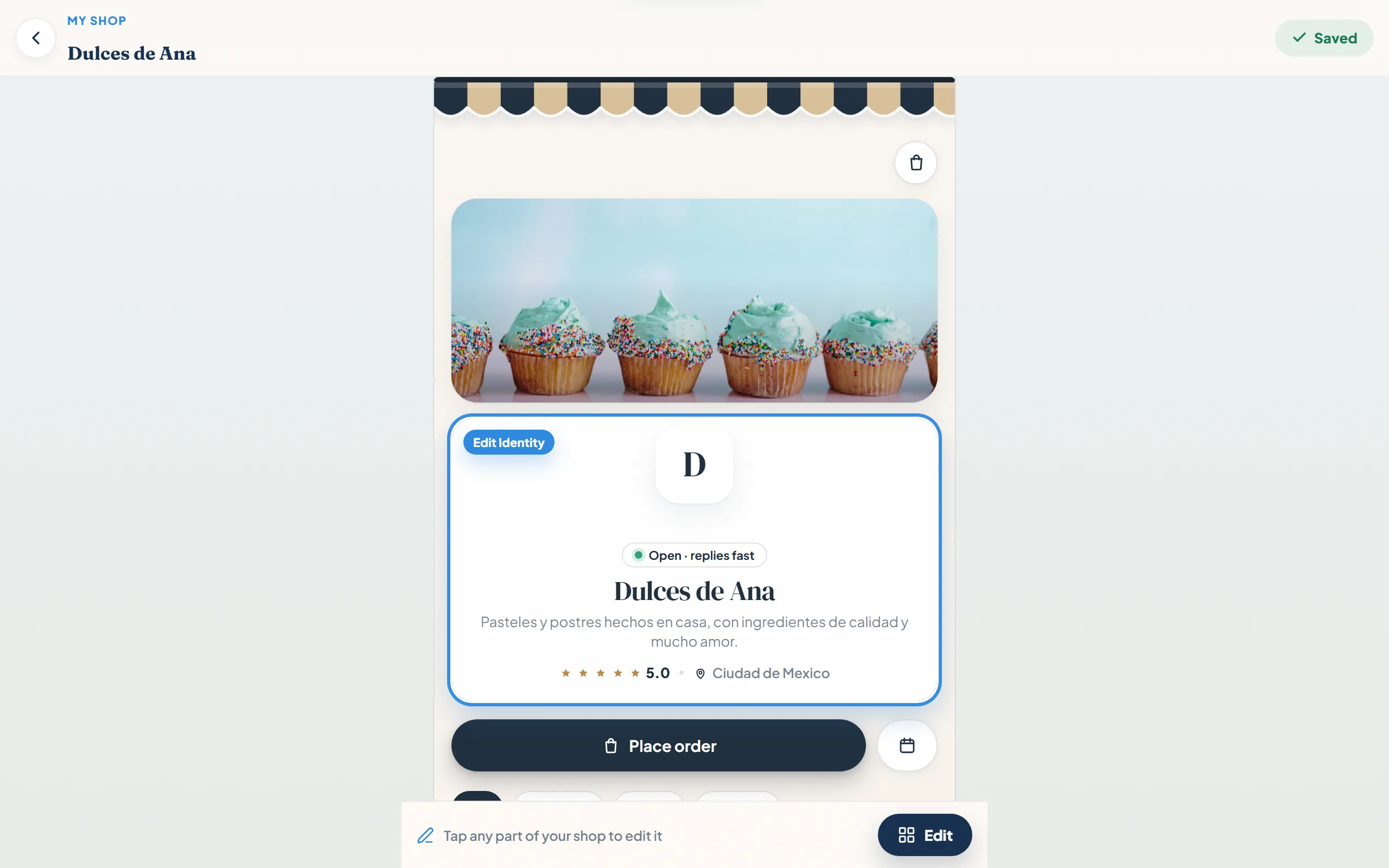
BakeBug gives you the essentials for branding a shop: logo, banner, colors, and products. Confita gives you a full storefront editor.
Change the theme, layout, colours, cover image, fonts, announcement banner, and entrance animation, then see the result in a live preview before publishing. Your shop should feel like your bakery, not a template with your logo placed on top.
Why bakers compare the two
BakeBug does a lot well: branded storefronts, custom products, quote and presale management, payment tracking, packing slips, and calendar tools. Its free 2026 period is also a real advantage for eligible early signups.
The comparison with Confita comes down to the shop you want to keep after the promotion ends. Confita gives you a full visual editor, a quote-first workflow for custom orders, and card checkout through your own connected Stripe or Square account.
Questions that arrive with the request
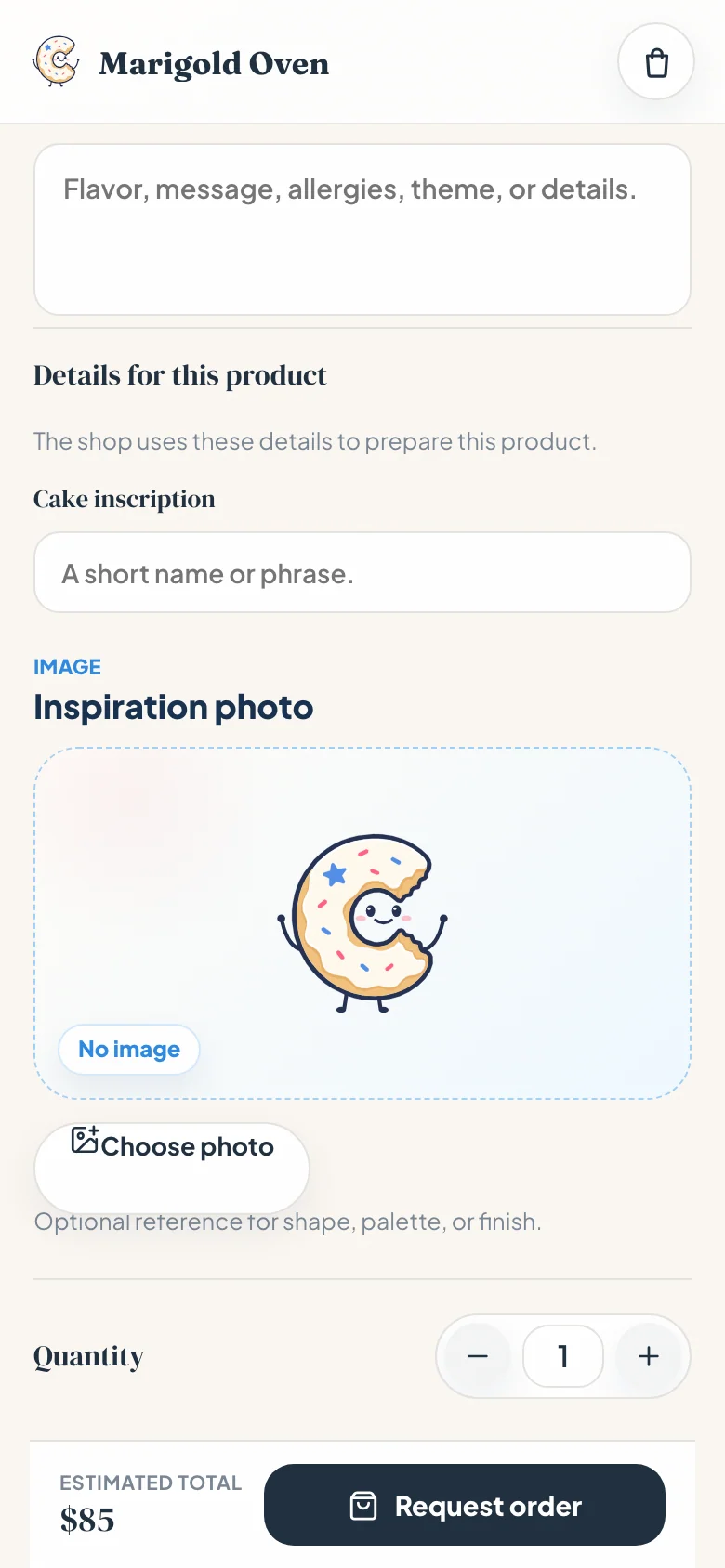
BakeBug supports custom products, quotes, and presales. Confita’s difference is that each product can carry its own questions: date, servings, flavors, allergies, and a reference image upload.
The customer answers while requesting the product, so you can review the details before deciding whether to quote it. The shop and the intake live together in the same browser-based flow.
A private quote and deposit flow
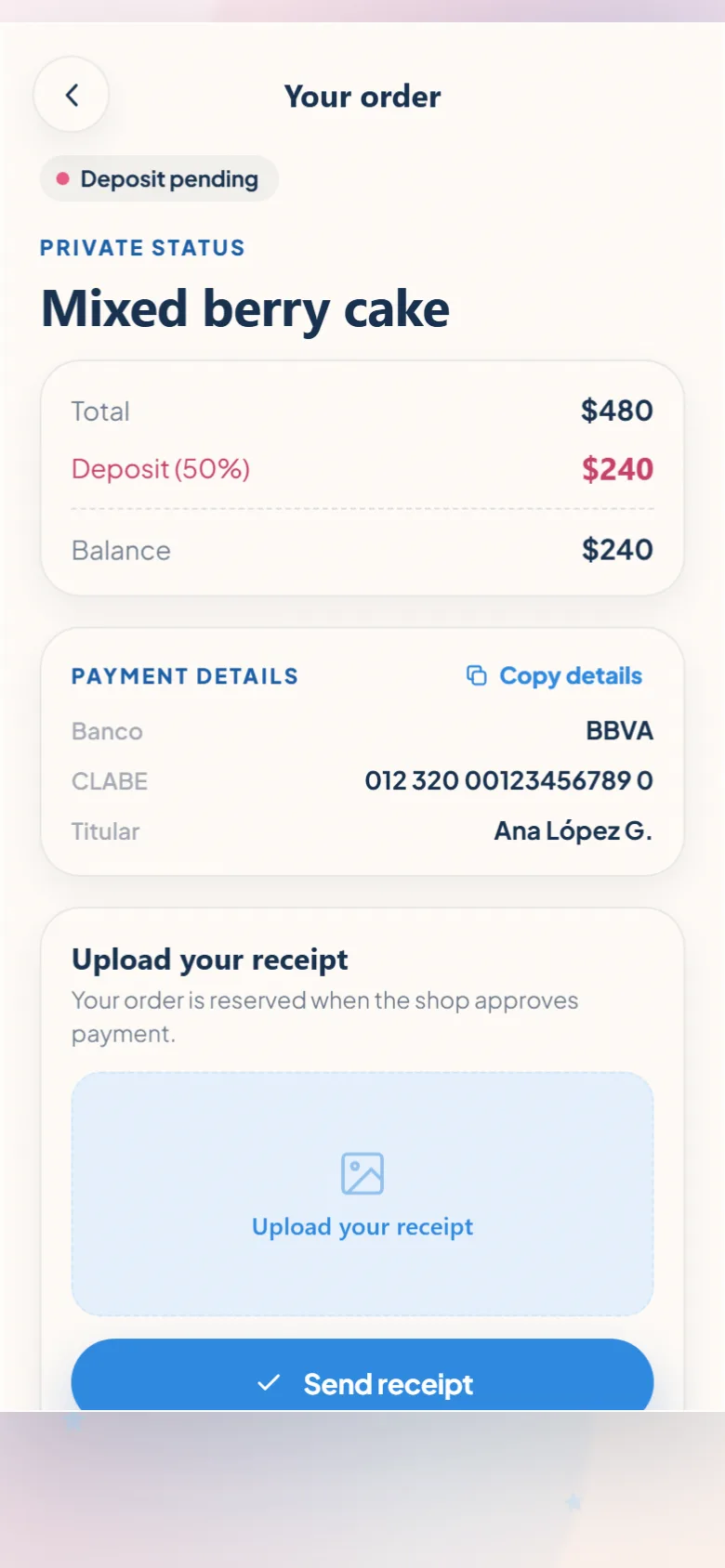
Confita lets you send a private quote link with the price and deposit. Card payment opens on your connected Square or Stripe account. Manual methods can show instructions and accept a receipt upload. The customer sees what is owed and where the order stands.
BakeBug also supports quote and payment-schedule workflows. Confita is the better fit if you want the quote follow-up to live in a focused customer status page rather than inside a broader bakery dashboard.
The short table
The full head-to-head lives on the BakeBug vs Confita page. The one-screen version:
| Confita | BakeBug | |
|---|---|---|
| 2026 price | 7-day free trial, then $49/year or $9.99/month | Free through Dec. 31 for eligible signups before Dec. 1 |
| 2027 monthly price | $9.99/month | $4.99/month announced |
| 2027 annual price | $49/year | $49.90/year announced |
| Storefront editor | Full editor with themes, colors, covers, fonts, banners, entrance animations, and live preview | Logo, banner, colors, and product customization |
| Seller access | Any phone, tablet, or computer | Mobile-optimized storefront and dashboard |
| Direct orders | Fixed-price checkout without seller approval | Online orders and presales listed |
| Questions and reference photos | Product questions and image uploads | Custom products and quote/presale tools |
| Quotes and deposits | Private quote link, deposit instructions, receipt upload | Quotes and payment schedules |
| Sales reporting | Collected and outstanding sales, paid orders, average order, channels, and top products | Detailed analytics not listed publicly |
| Weekly drops | Schedules, limits, and closing times | Presale tools |
| Payments | Connect an existing Square seller account or eligible Stripe account; bank transfer and cash also supported; 0% Confita fee: payments go through your own Stripe or Square account | Gateways such as Square, plus cash and other methods |
Feature and price details checked August 20, 2026. BakeBug’s 2026 free period and 2027 prices depend on signup timing and its published terms. Confita Sales is focused on orders and payments, not traffic, profit, inventory, tax, or recipe costing.
Switch in an afternoon
You do not need to rebuild everything at once. Recreate your best sellers, add the questions you already ask in messages, and test the new link with a few trusted customers first.
There is no automatic BakeBug importer in this guide, so plan to recreate your products manually. Keep BakeBug live during the transition if that feels safer, then move your bio link once the first test order feels right.
| Step | Action |
|---|---|
| 1 | Add your top 5 to 10 products and your custom-order questions. |
| 2 | Choose the theme, colors, cover, fonts, banner, and entrance animation for your shop. |
| 3 | Set pickup, delivery, payment, and deposit instructions. |
| 4 | Share the new link with a few trusted customers first, then update your bio link. |
Stay on BakeBug if…
BakeBug is a sensible choice when the free 2026 period, payment schedules, packing slips, and broader order-management dashboard matter more than deeper storefront control.
- You qualify for the free 2026 period and want to spend $0 on software through the end of the year.
- You want quotes, payment schedules, packing slips, and calendar tools in one dashboard.
- Your products rarely need detailed questions before you quote them.
Switch to Confita if…
Confita is the better fit when your storefront is part of your brand and custom orders need a clear path from questions to quote to deposit.
- You want an annual plan at $49/year.
- You want to edit the whole customer-facing experience with live preview.
- Your custom orders need reference photos and product-specific questions.
- You want private quotes, deposits, receipt uploads, and a customer status page.
- You want to manage the shop from any device.
Build a shop that feels like yours
Start your 7-day free trial, design your storefront, add your custom-order workflow, and test everything before publishing. Nothing is charged during the trial.
Sources
Details were checked against public sources on August 20, 2026. Confirm current prices, policies, or provider instructions before relying on them.
Frequently asked questions
What happens after BakeBug’s free period?
Eligible signups before December 1, 2026 can use BakeBug free through December 31, 2026. Signups after December 1 enter a 30-day trial. Check the current terms before registering.
What does BakeBug cost in 2027?
BakeBug lists $4.99/month or $49.90/year beginning January 1, 2027. Confita is $49/year or $9.99/month, so the annual plans land within a dollar of each other. Choose on the workflow and storefront control you want, and confirm both prices before subscribing.
Is BakeBug or Confita better for custom cakes?
BakeBug supports custom products, quotes, and presales. Confita is the better fit if you want product-specific questions, reference image uploads, a full storefront editor, private quotes, deposits, and a focused customer status page.
Can I still use Square with Confita?
Yes. Connect the existing Square seller account you already use, choose the eligible Square location for online payments, and keep managing payments and payouts in Square. When card payments go through your own connected Square or Stripe account, Confita adds no fee and you settle directly with your customer. Provider fees still apply. Bank transfer and cash are also supported.
Can customers order from Confita without an app?
Yes. Customers open your shop in a browser from a phone, tablet, or computer. They do not need to install an app or create a Confita account to send a request.
How does Confita handle quotes and deposits?
Send a private quote link with the total and deposit. Card checkout opens on your connected Square or Stripe account. Manual methods can carry instructions and receipt upload. The customer can return to see what is paid and what remains.