 Confita
Design studio
Build a bakery storefront that looks like yours
Your shop link should look like your bakery, not an order form with a logo on top. Start from a theme, then change the parts customers notice.




Start with a look, then make it yours
A blank page is slow. A theme gets you moving without taking control away.
Pick from six themes: Boutique, Sugar, Fiesta, Oven, Garden and Lake. Each one sets colors, fonts, frame, stickers and the opening in one tap, and everything stays editable after.
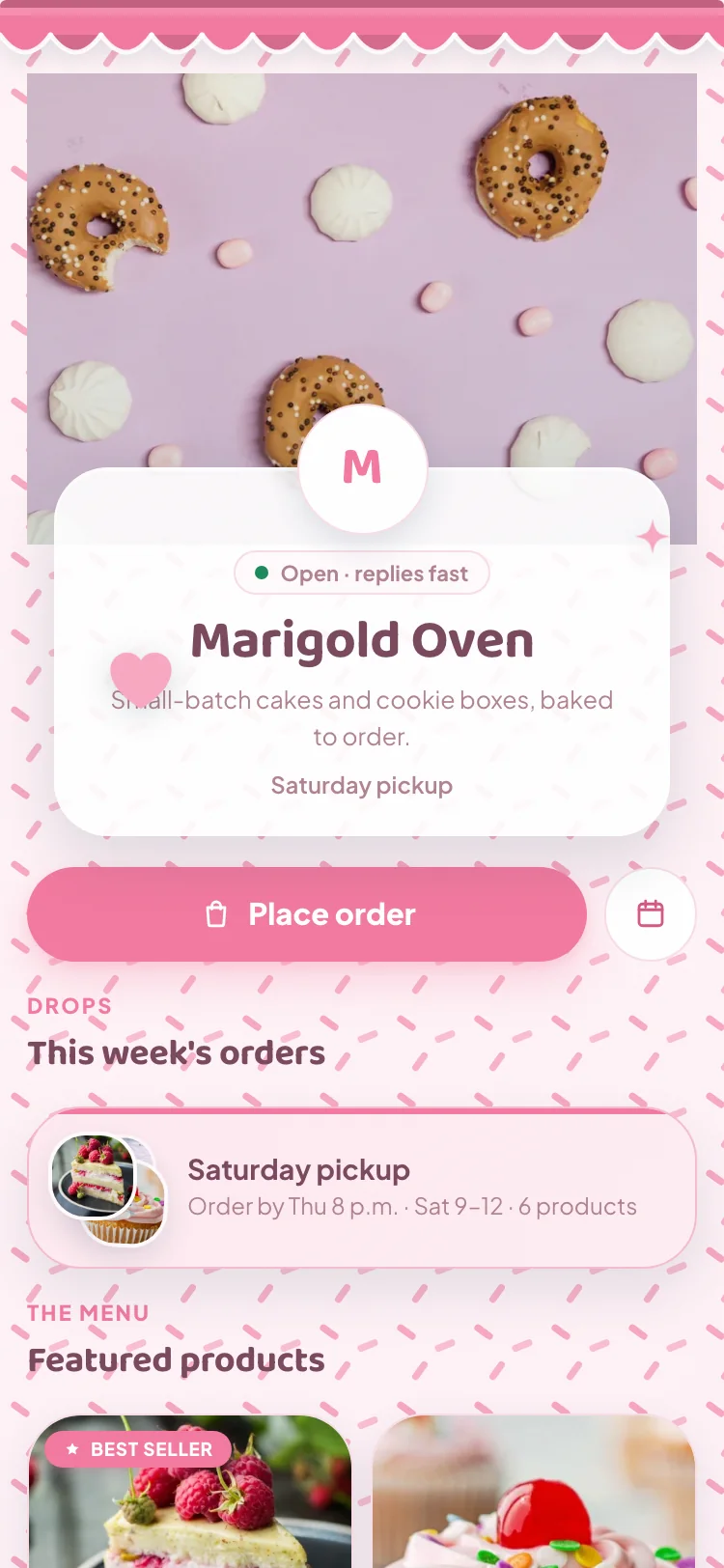
Type and banners with a point of view
Your menu needs a typeface that sounds like the bakery. Choose from seven: Fraunces, Quicksand, DM Serif, Baloo, Fredoka, Bitter and Manrope.
Then the banner: Awning, Scallop, Bunting, Vines and Bakery, or one of four that arrive with their own opening.
- Fraunces Sunday Table Bakes
- Quicksand Sunday Table Bakes
- DM Serif Sunday Table Bakes
- Baloo Sunday Table Bakes
- Fredoka Sunday Table Bakes
- Bitter Sunday Table Bakes
- Manrope Sunday Table Bakes
- Ribbon atelier
- Paper rosettes
- Golden hour
- Piped lace
An opening, once
An opening makes a shop feel considered. It should never get in the way.
Choose from nine, from Awning unrolls to Piped lace. Each lasts about 2.6 seconds, plays once when a customer arrives, and is skipped for people who turn off motion.
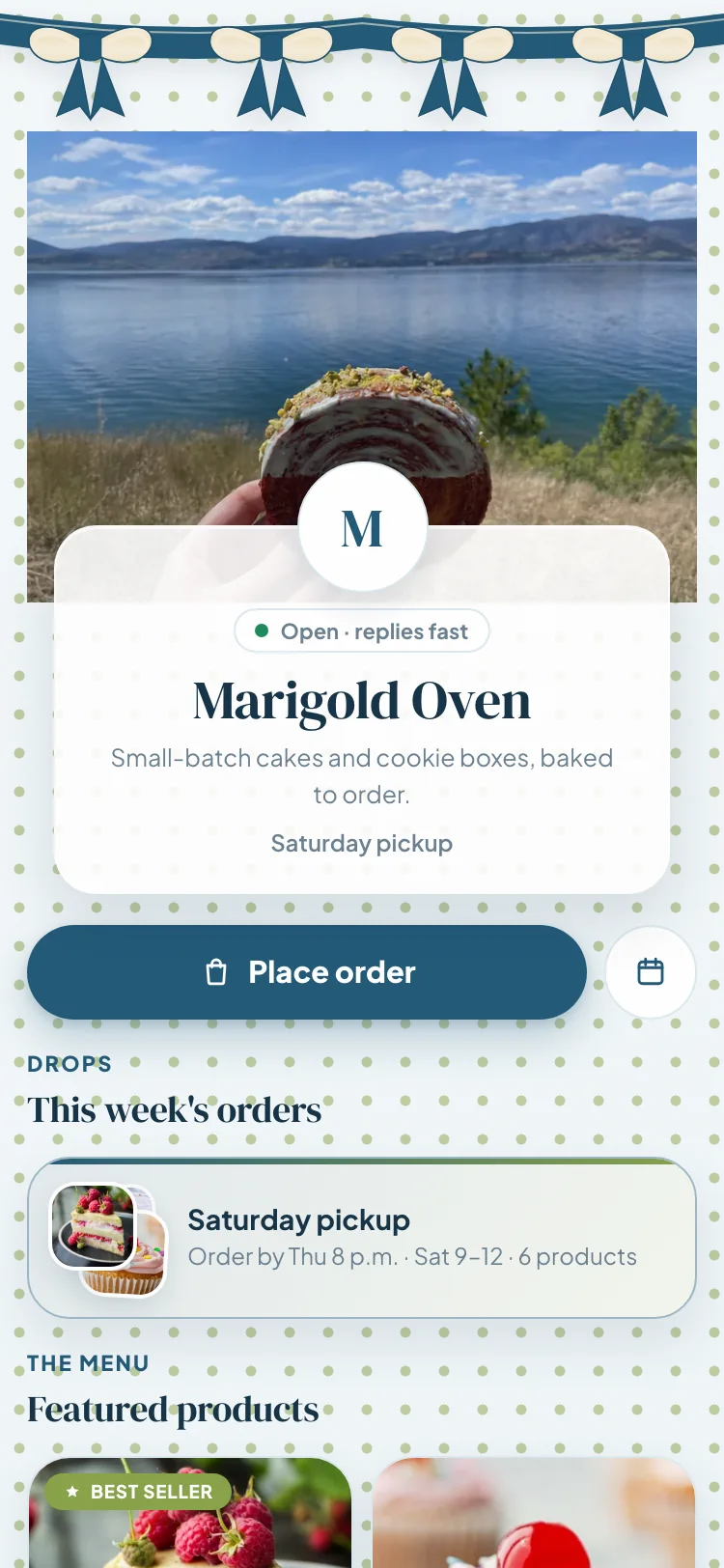
Opening: Ribbon atelier

Colors, patterns and stickers
Set the buttons, accents, frame and page, with 12 preset swatches or any color you pick. Make the page a solid color or a gradient, and add dots, hearts, sprinkles or stars.
Place up to six stickers from the built-in twelve, or upload your own. Drag, resize and rotate each one, then let it float, twinkle, bounce or spin.
- Dots
- Hearts
- Sprinkles
- Stars
Your name, your web address
Your link is confita.app/s/your-name, and you choose the name. Connect a subdomain you own, like shop.yourbakery.com, with a CNAME or the automatic Cloudflare option.
Download a QR code for your stall sign and packaging. Share the link to WhatsApp or Facebook in a tap, or copy a ready-made caption for Instagram.
confita.app/s/marigold-oven
or your own address
shop.marigoldoven.com
Questions, answered
What bakers ask about design studio
Can I change a theme after I choose it?
Yes. A theme is a starting set of colors, fonts, frame, stickers and opening. Everything stays editable after you choose it.
Can I use my own bakery photos?
Yes. Upload a logo, use your own cover photo (Confita crops it for you) or one of eight stock covers, and add up to 12 gallery photos. You can upload your own sticker too.
What is Photo to shop?
Upload one bake photo and Confita suggests a whole look: theme, typeface, banner, pattern, sticker and colors, plus a shop name and tagline. You choose whether to use the photo as your cover and whether to take the name and tagline. Your products stay as they are, and there is an Undo.
Will the opening slow customers down?
It plays once, for about 2.6 seconds, when a customer opens the shop. People who turn off motion on their device skip it.
Can I use my own domain?
Yes. Connect a subdomain you own, such as shop.yourbakery.com. It goes live once your plan is paid, and your Confita shop link keeps working too.
Pairs well with
Go further

Seven days free
Make the shop look like the bakery
Set up a storefront customers recognize, with your menu and checkout on the same link.